Frequently asked questions on using Learning Stream to participate in DHS Health Training Program trainings.
Frequently asked questions
Click on the question to read the answer
Learning Stream Basics
How can I register for a training?
How do I know if I'm registered for a training?
How do I ensure I receive a certificate of completion after completing a training?
What is the minimum attendance policy to receive a certificate of completion?
After the training, when do I receive the link to the post-test and evaluation?
Where do I find my certificate of completion?
Common Questions: Attending the Training
Registering and attending trainings
Can managers register for a training on behalf of shelter staff?
Can I attend the online training using the Zoom link I received from a colleague?
Can I attend the online training on a colleague's computer?
Attendance code
How do I enter my attendance code to join an online training?
When I enter my attendance code to join a training, what do I do if the attendance code is “invalid”?
Post-test
What happens if I don't complete the post-test and evaluation within 2 days?
What do I do if I attended the online training but didn't receive the post-test link?
How can I register for a training? |
Visit the DSS Health Training Program Online Training Calendar to view and register for upcoming training sessions.
See "How do I register for a training?" FAQ for step-by-step instructions
How do I know if I'm registered for a training? |
1. Log into your registrant portal.
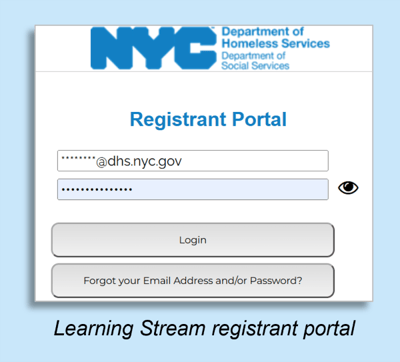
2. Select “My Upcoming Registrations” to see your upcoming trainings.
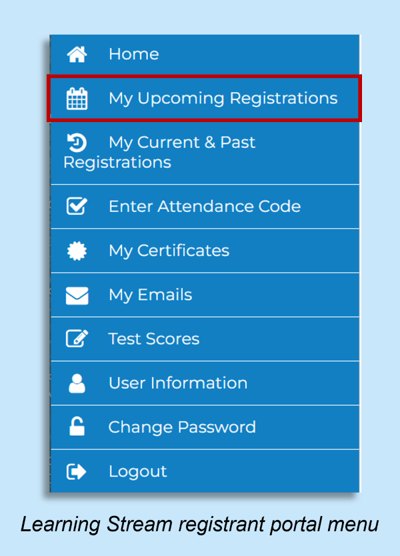
3. If you do not see the training you would like to take listed, you are not yet registered. Go to the online training calendar and register for the training there.
4. Once you register for the training, you will receive a registration confirmation email from “DSS Health Training Program” (NYC-DHS@learning-stream.com).
See "How do I know I'm registered for a training?" instructions
How do I ensure I receive a certificate of completion after the training? |
What is the minimum attendance policy to receive a certificate of completion? |
To receive a certificate of completion, you must be present for at least 90% of the training. For example, if you join the training more than 10 minutes after it starts, you will not meet the minimum attendance.
If you are unsure how long you were present at a training you attended, email us at harmreduction@dss.nyc.gov. We can check how long you were present.
If you did not meet the minimum attendance requirement, you will have to retake the training in order to receive a certificate of completion.
After the training, when do I receive the link to the post-test and evaluation? |
After the training, the Learning Stream system will send two separate emails with the link to the post-test and the link to the evaluation:
-
See email templates below for reference.
-
The emails will be sent to the email address you registered with.
-
If you are having trouble finding the emails, search your inbox for emails from DSS Health Training Program or NYC-DHS@learning-stream.com.
- Be sure to check your spam/junk folders as well as your inbox.
Email 1: Link to training post-test
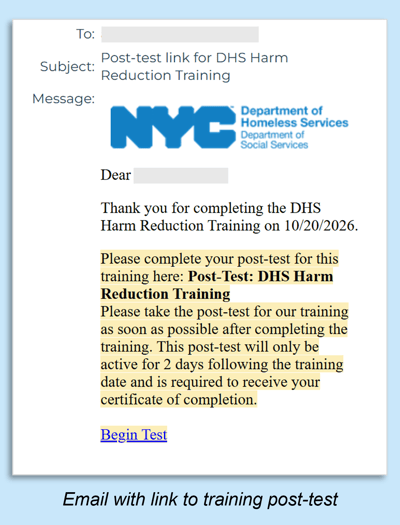
The post-test link stays active for 48 hours (two days) after the training. If you don't complete the post-test within two days, it will no longer be available and you will have to retake the class in order to complete the post-test.
Email 2: Link to training evaluation
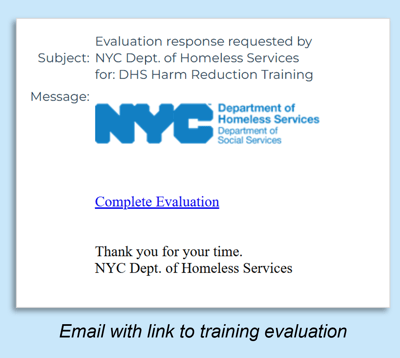
If you have not received these emails from Learning Stream, email harmreduction@dss.nyc.gov.
Where do I find my certificate of completion? |
Log into your registrant portal.
Select “My Certificates”. You will see certificates listed for the trainings that you completed.
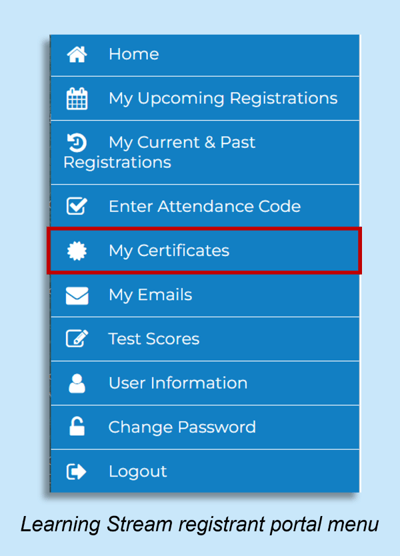
See "Where do I find my certificate of completion" instructions
In order to receive a certificate of completion, participants need to:
(1) register for the training via their own Learning Stream registrant account
(2) be present for at least 90% of the training
(3) complete the post-test
(4) complete the evaluation
What is the difference between the registrant portal and training calendar? |
The registrant portal is your personal Learning Stream account where you can find trainings you've registered for, trainings you've already attended, evaluation links, and certificates of completion.
The online training calendar is where you can view and register for upcoming training sessions.
Common Questions
Can managers register for a training on behalf of shelter staff? |
No, each training participant must register for a training using their own Learning Stream registrant account.
Participants can create a registrant account when registering for a training.
Can I attend the training using the Zoom link I received from a colleague? |
All participants must be registered in order to receive the post-test, evaluation and certificate of completion.
If you received the Zoom link directly from Learning Stream then you’re already registered. (To find the email with the Zoom link, search your inbox for emails from DSS Health Training Program or NYC-DHS@learning-stream.com.)
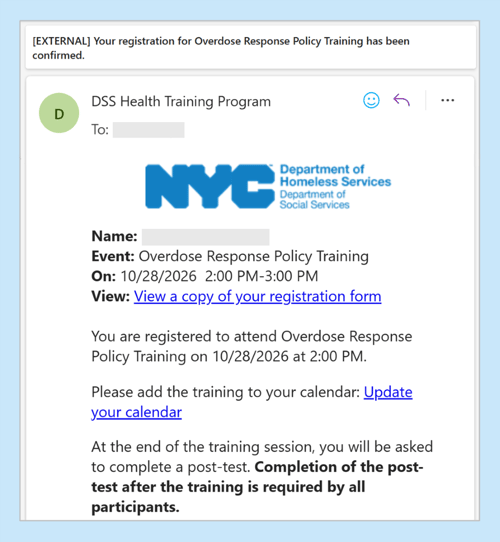
Example: Registration confirmation email from DSS Health Training Program Learning Stream
If you received the Zoom link from a colleague, you need to register using your own registrant account in order to receive the certificate of completion. (If you did not do this, you will have to retake the training.)
Can I attend the online training on a colleague's computer? |
We understand that there are different technology limitations at different sites. If you need to join the Zoom webinar from a shared device, we ask that you email harmreduction@dss.nyc.gov with the name of the participant whose Zoom account you are joining from.
Regardless of how you join the online training, all participants must be registered for the training from their Learning Stream registrant account.
If you are not registered for the session, we cannot confirm your attendance in the Learning Stream platform, and you will not receive the evaluation and post-test links or your certificate of completion.
If at all possible, please always join the session from the Zoom link that Learning Stream sends to your email.
How do I enter my attendance code to join an in-person training? |
1. Login to your registrant portal.
2. Select “Enter Attendance Code”.
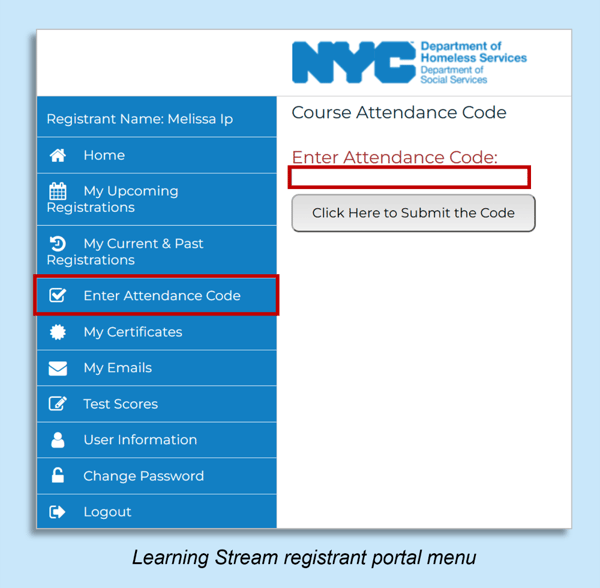
3. Enter attendance code exactly as written (with capital letters and spaces matching exactly).
See "How do I enter my attendance code" instructions
If you receive an error message, make sure that you are registered for the training:
4. Select “My Current & Past Registrations” for a list of the trainings you are registered for.
5. The training should be listed. If it is not there, go to link in the calendar invite for the session and register.
When I enter my attendance code to join a training, what do I do if the attendance code is “invalid”? |
First, make sure that you are registered for the course. (You can go to link in the calendar invite for the session and see if it will let you register.)
If you are already registered for the training, make sure you are entering the attendance code exactly as it is written (with capital letters and spacing aligned).
What happens if I don't complete the post-test and evaluation within two days? |
The post-test must be completed within 2 days of the training.
If you do not complete the post-test within 2 days, you may receive the following message: "Eligibility to take the assigned test has changed. Please contact your event/course administrator if you have additional questions." In this case, you will need to re-take the training to receive a certificate of completion.
You can complete the evaluation at any time, there is not time limit after the training.
What do I do if I attended the online training but didn't receive the post-test link? |
To find the post-test link, search your inbox for emails from DSS Health Training Program or NYC-DHS@learning-stream.com.
If you did not receive the email with the post-test link, the most common reasons are:
-
The email with the post-test link was diverted to the spam folder.
- You did not meet the minimum attendance policy of being present at least 90% of the session. Participants that do not meet the minimum attendance policy must re-take the training to receive the certificate of completion.
- If you exited Zoom at any point during the training (including being booted out of Zoom) and re-entered, you may have been recorded as having attended less than 90% of the session. Please email us at harmreduction@dss.nyc.gov so we can manually check how long you were present in our training session for.